Windows DOS commands needed to run Python from DOS prompt
Windows_DOS_Python_1.html
The Windows Operating system contains a command driven Operating System callled DOS.
Users can get to the command prompt in a number of ways. The easiest one is to type "command" in the Windows command window:
This will bring up a DOS command window:

Though their are a lot of commands and possible actions in the DOS Window, the primary interest here is on running Python programs.
The Windows file system consists of a hierarchical file/directory structure. The directories, also referred to as folders, can contain files and/or other directories/folders.
There are DOS commands that permit navigating to any folder. The DOS "prompt" tells the current folder, i.e. what folder the user is "in". [ see screen capture above ]
To run a Pyhon program (e.g. guess.py) using a typed command from a DOS prompt the user needs:
Example of running a a Python program from a DOS prompt:

NOTE: ctrl_c was used to exit the above running program.
DOS commands to navigate directories and list files:
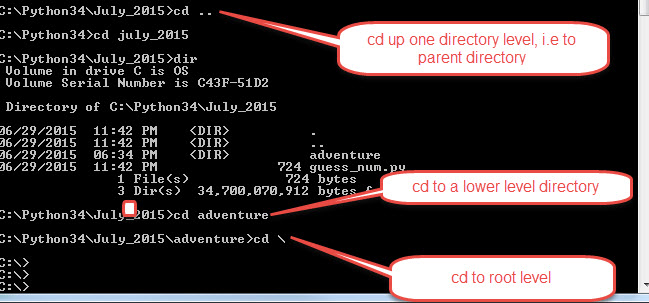
The "cd" (change directory) command is used to navigate between folders.
"cd \" - goes to the route directoryh
"cd <path> goes to that path eg. "cd C:\Python34\July_2015"
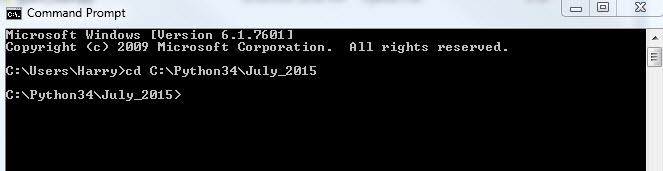
One in a a praticular directory (i..e. when a particualr path is displayed in the prompt), the following commands can be used:
"dir" (directory) will list all the files in that directory

See other dir examples below, using "dir"

More DOS commands, using "cd"