 |
Phase 3 |
 |
Your Own Web Page
Adding a Picture
To add a picture to a Web page, you must do two things:
- Add some text and codes to your HTML file ("first.htm").
- Copy a picture file into the directory in which your HTML file is saved.
Step 1. Before going to Notepad, copy the following lines and paste them in your
html file:
<IMG SRC="womba1.gif"><BR>
...And this is the wombat that helped me do it
Then,
save the file and go back to Netscape.
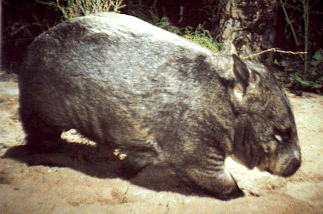
Step 2. Below is a picture of a wombat. You are going to copy the associated
"picture" file (womba1.gif) into the same directory as your HTML file.
To do this:
-
Place the cursor in the middle of the Wombat picture below.
- Right click on your mouse and select "Save Image As...".
- Save womba1.gif on the same directory as your HTML file.
Here is the picture
3. Use Netscape to view your Web page.
...And there you go, you have your first Web Page with a picture!
 |
Phase 3
|
 |